

Mesaj gönder
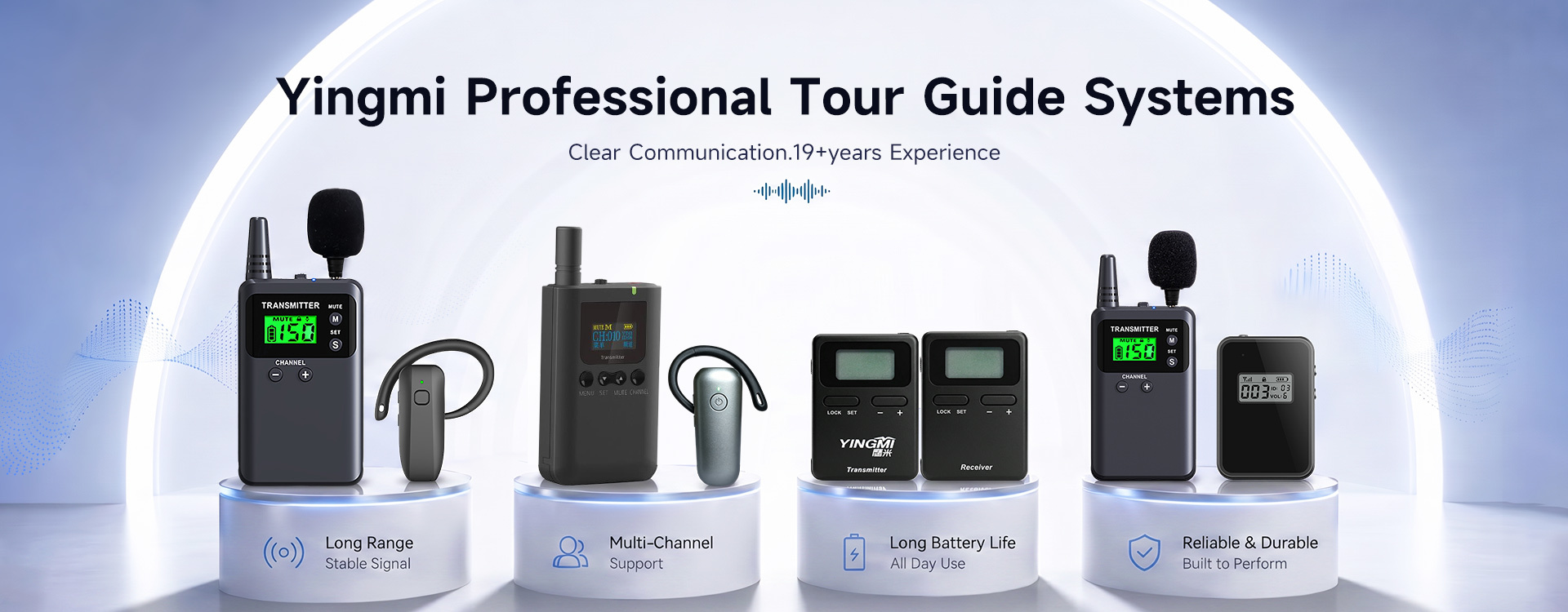
Sıcak ürünler En iyi ürünler
Daha fazla ürün
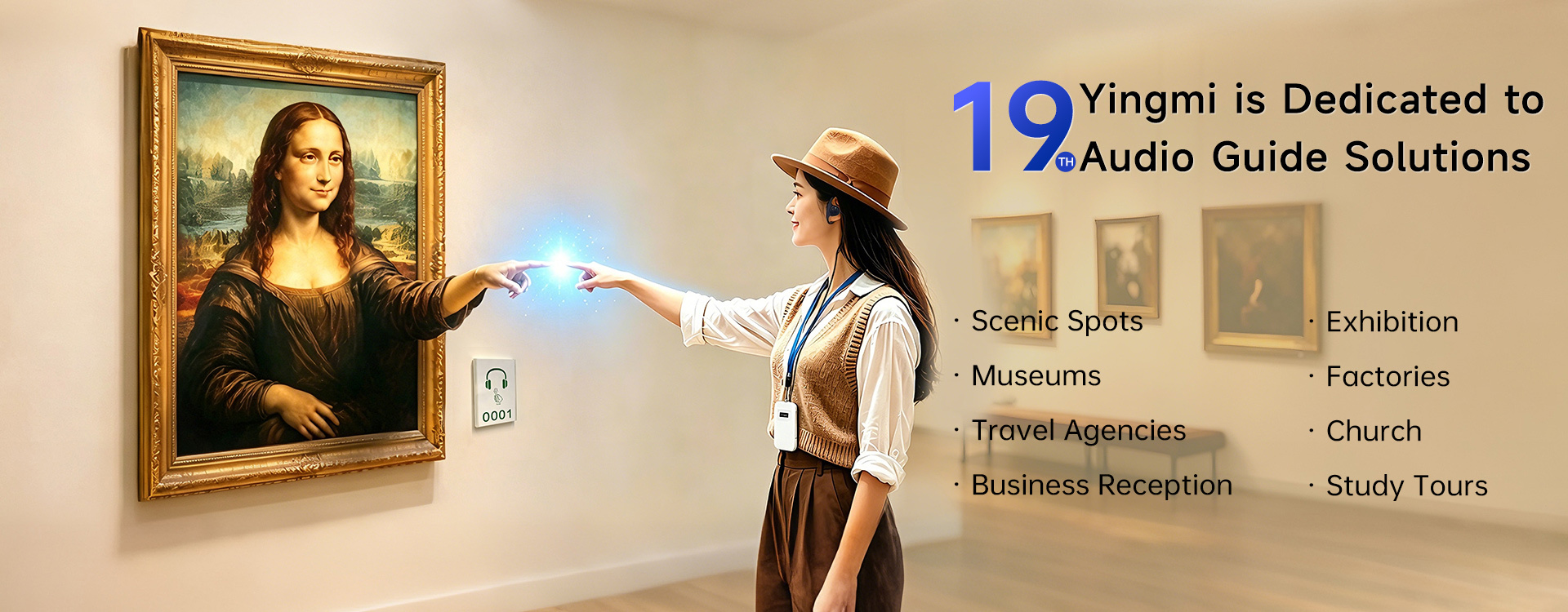
YingMi: 19 Yıldır Güvenilir Seçim
China Anhui YingMi Smart. CO., LTD.
Yaklaşık Biz.
Anhui YingMi Smart. CO., LTD.
19 yıllık uzmanlık ve 2007'den beri süregelen sektör deneyimiyle Yingmi, müzeler, ören yerleri, tarihi alanlar ve tur operatörleriyle işbirliği yaparak ziyaretçiler, personel ve uzun vadede işe yarayan sesli rehber programları tasarlayıp sunmaktadır. Donanımı, hizmet altyapısını ve saha deneyimini biz sağlıyoruz, böylece ortaklarımız en iyi yaptıkları işe odaklanabilirler: duyulmaya değer hikayeler anlatmak.ŞirketimizAnhui YingMi Smart. CO., LTD.2007 yılında kurulmuş ve merkezi Çin'in Hefei Y...
Daha fazlasını oku
A talebi Çeviri:
0
Yıl
Müşteriler
0%
P.C.
0+
çalışanlar
Biz sağlıyoruz.
En iyi hizmet!
Bize çeşitli yollarla ulaşabilirsiniz.
Bize Ulaşın
Anhui YingMi Smart. CO., LTD.

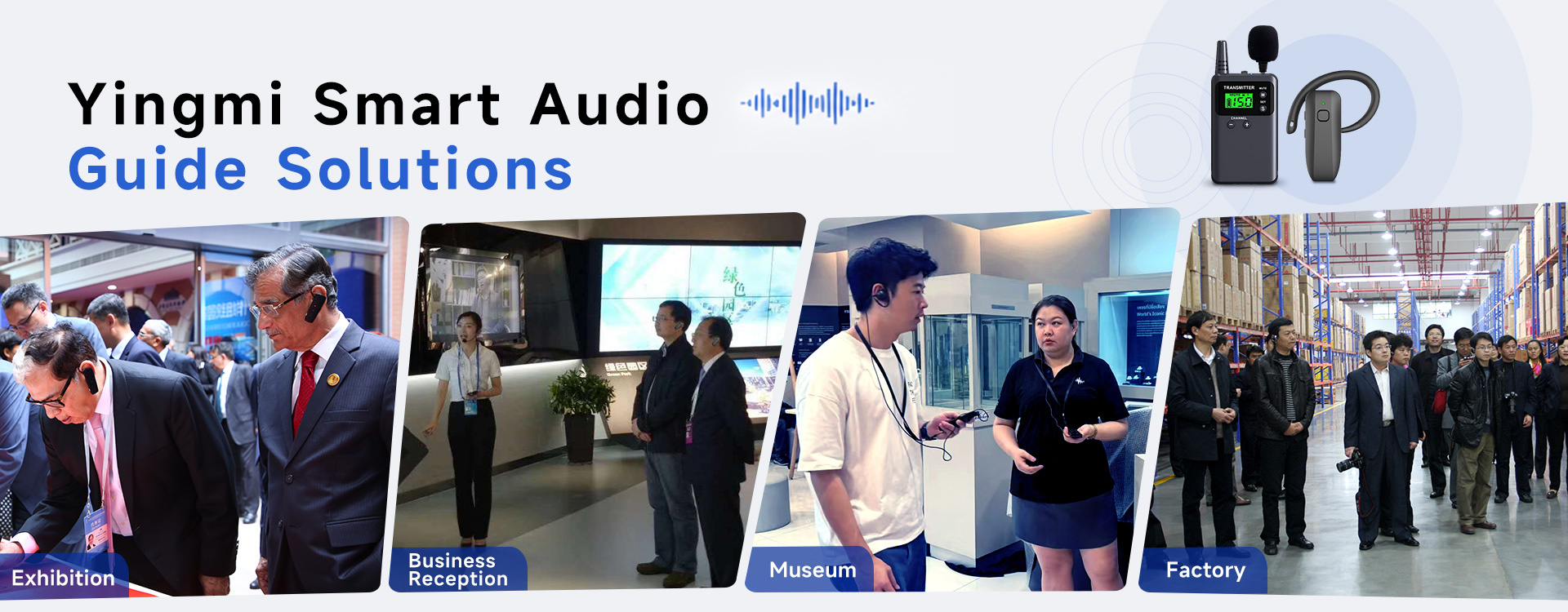
Yingmi tüm senaryolar için özelleştirilmiş çözümler sunuyor

Olaylar
Son şirket haberleri What Role Does Firmware Play in Keeping Audio Guide Systems Reliable Long-Term?
What Role Does Firmware Play in Keeping Audio Guide Systems Reliable Long-Term?

2026-10-12

Most buyers compare a tour guide system by its range, battery life and weight. Very few ask about the small program running inside each unit, yet that firmware decides how the hardware behaves in year three, not just in the demo. A wireless tour guide system is a set of radios, batteries and microphones, but it is the firmware that tells them what to do. It decides how a receiver finds its transmitter, how quickly it recovers from a dropped signal, how the battery is reported, and how audio is processed before it reaches the listener's ear. When a system stays dependable across hundreds of tours, the credit often belongs as much to that software layer as to the casing and the cells. What Firmware Actually Controls Firmware is the embedded software stored on each device. In an audio guide system it typically handles four jobs: Pairing and channel logic. Which transmitter a receiver listens to, how channels are assigned, and what happens when two groups are close together. Power management. How the unit sleeps, wakes, and estimates what is left in the battery, which affects whether a device that showed "full" at 8am is still alive at 3pm. Signal handling. How the device reacts to interference, weak reception or a momentary dropout: whether it mutes cleanly, reconnects quickly, or produces a burst of noise. Audio processing. Volume limits, noise reduction and the way sound is encoded and decoded between speaker and listener. Why It Matters More the Longer You Own the System On day one, nearly every system sounds fine. The differences appear after repeated charge cycles, after a venue changes its wireless environment, after you add new units to an existing fleet. These are exactly the situations where software quality shows up. A well-designed firmware keeps behavior predictable as conditions drift; a weak one produces the intermittent faults that are hardest to diagnose, such as a receiver that occasionally refuses to pair or a battery gauge that cannot be trusted. There is also a maintenance angle. Wireless environments are not static. New Wi-Fi equipment, new event spaces and new regulations all change what a device must cope with. A manufacturer that can refine firmware behavior over time gives the operator a way to adapt without replacing hardware. What Operators Notice, and What May Be Behind It Symptoms reach the operator long before anyone looks at software. This table links common field complaints to the firmware area that may be involved. It is a diagnostic starting point, not a verdict; hardware faults produce some of the same symptoms. What operators notice Possible firmware area A receiver sometimes fails to pair Pairing and channel logic Battery indicator jumps or is unreliable Power management and gauge calibration Pops or bursts of noise after a brief dropout Signal handling and muting behavior Newer units behave differently from older ones Mixed firmware revisions in one fleet Volume or tone varies between devices Audio processing settings The Fleet Consistency Problem Fleets grow. A venue buys fifty units, then adds thirty more two years later. If those batches run different firmware revisions, the guide may notice that some listeners hear things slightly differently from others, or that certain units reconnect faster. For an operator, the practical risk is not a dramatic failure but inconsistency, which is harder to explain to a visitor and harder to troubleshoot at the door. Ask how a supplier keeps units in one fleet behaving the same way, and what happens when new hardware joins old. Questions Worth Asking a Manufacturer You do not need to read code to evaluate firmware. You need to ask questions whose answers reveal how the supplier thinks about it: 1. Can firmware be updated after purchase, and who performs the update: the supplier, a technician, or you? 2. How are updates tested before they reach customers, and can an update be rolled back if it causes a problem? 3. Will new units be compatible with the ones we already own? 4. How are firmware-related faults reported and resolved under the warranty or support terms? 5. Is there documentation of what changed between versions? A supplier who answers these clearly has usually thought about long-term operation. Vague answers are information too. Firmware and Reliability Testing Go Together Firmware quality cannot be judged from a spec sheet, because it only shows up under repeated, realistic use. This is why reliability testing matters: long charging cycles, many pairing events, crowded radio environments and extended runtime all exercise the software as much as the hardware. When you evaluate a system, run it the way you will actually use it, for several days and with the full number of units, and watch for the intermittent behavior that a short demo never reveals. The Practical Takeaway Hardware gets a tour guide system through the first season. Firmware is a large part of what keeps it dependable through the fifth. When comparing suppliers, give the software layer the same attention you give range and battery figures: ask how it is maintained, how fleets stay consistent, and how problems are resolved. Those answers predict your experience better than any headline specification. FAQ What is firmware in a tour guide system? It is the embedded software stored inside each transmitter and receiver. It controls pairing, channel selection, power use, signal handling and audio processing. Can firmware problems be mistaken for hardware faults? Yes. Pairing failures, dropouts and inaccurate battery readings can come from either. A supplier's support team can usually tell the two apart by testing the unit with known-good software. Do I need to update firmware regularly? Not necessarily. Many systems run for years without changes. What matters is knowing whether updates are available, how they are delivered, and whether they are tested. How can I check firmware quality before buying? Run a multi-day trial with a realistic number of units, in the environment you will actually use, and note any intermittent behavior. Then ask the supplier the questions listed above.
Daha fazlasını izle
Son şirket haberleri How to Manage Tour Guide Devices for Daily Tours: Charging, Cleaning and Storage
How to Manage Tour Guide Devices for Daily Tours: Charging, Cleaning and Storage

2026-10-10

A wireless tour guide system can be used throughout the day for museum visits, scenic-area tours, factory inspections, and other group activities. But when the same equipment is used by different groups, keeping every transmitter and receiver ready for the next tour requires a consistent routine.   Good equipment management does not need to be complicated. A few practical steps can help staff keep track of devices, organize charging, maintain shared receivers, and reduce the risk of equipment being misplaced or unavailable when a tour begins.   This guide covers the daily management of wireless tour guide devices, with a focus on charging, cleaning, storage, and handover between groups.   1. Check the Equipment Before Each Tour   A quick pre-tour inspection helps staff identify problems before visitors arrive. Instead of checking devices only when something goes wrong, make the inspection part of the regular tour preparation process.   Check the transmitter   The transmitter carries the guide's voice to the receivers, so it should be tested before the group sets off. Check the battery level and confirm that the transmitter has enough power for the planned tour. Turn it on and test the microphone. Check that the microphone and its cable, if applicable, are in good condition. Confirm that the transmitter can communicate with the receivers assigned to the group.   Check the receivers   When multiple visitors share a pool of receivers across different tours, checking every returned unit helps prevent problems from carrying over to the next group. Count the receivers and compare the quantity with the expected group allocation. Turn on a sample of devices, or follow the venue's established procedure for checking each unit. Confirm that the audio can be heard clearly. Check for visible damage, loose parts, or unusual operating behavior. Separate devices that need charging or further inspection.   For larger groups, it can help to assign a staff member to handle device preparation and returns. This makes responsibility clearer and reduces the chance of equipment being overlooked.     2. Plan Charging Around the Tour Schedule Charging is easier to manage when it is treated as part of the daily operating routine rather than something staff do only when a device runs out of power.   The YINGMI B7-1 product information lists the following battery and charging specifications:   Device Listed working time Listed charging time B7-1 transmitter 15 hours 3–5 hours B7-1 receiver 10–12 hours About 3 hours   These figures are the specifications provided in the product materials. Staff should use the actual battery indicators and the manufacturer's instructions when preparing equipment for a specific schedule.   Charge devices after checking their condition After a tour, collect and inspect the returned equipment before placing it on charge. This gives staff an opportunity to identify damaged devices or units that need further attention.   For the B7-1 tour guide system, use the compatible charging dock or charging box supplied for the relevant configuration. Arrange the equipment properly and check that the devices are seated or connected as instructed.   A simple charging routine can include: Collect and count all returned devices. Identify units that need cleaning or inspection before charging. Place eligible devices in the designated charging equipment. Check charging indicators according to the product instructions. Confirm that sufficient charged devices are available for the next tour.   Allow enough time between tours   The time needed to prepare equipment depends on the number of devices, their battery status, and the schedule for the next group. If tours run back-to-back, staff should check battery levels in advance rather than waiting until the previous group returns.   For venues operating several tours a day, a written charging checklist can help staff coordinate handovers across different shifts.   Important: The listed working time and charging time should not be treated as a guarantee that every device will be ready after a fixed period. Follow the manufacturer's charging instructions and check the actual status of the equipment.     3. Clean Shared Receivers Carefully In museums, scenic areas, and factories, receivers may pass from one visitor to another many times a day. A consistent cleaning routine helps staff maintain the equipment and keep shared devices presentable.   However, the B7-1 product information does not specify approved cleaning agents, disinfection methods, or detailed cleaning procedures. The following points are general equipment-handling recommendations, not official B7-1 cleaning instructions.   Establish a consistent cleaning process   Staff should follow the manufacturer's guidance for the specific device before choosing a cleaning product or disinfection method. As a general precaution: Inspect each receiver for visible dirt, moisture, or damage. Use only cleaning materials and methods confirmed as suitable for the device. Avoid immersing electronic equipment in liquid. Keep moisture away from charging contacts, ports, and other electronic components. Allow equipment to dry as directed before returning it to storage or charging. Set aside any device that appears damaged or behaves abnormally.   Do not assume that a cleaning agent suitable for ordinary surfaces is also suitable for electronic equipment. Strong chemicals, excessive moisture, or an unapproved disinfection process may damage device materials or components.   Pay attention to contact surfaces The parts that come into contact with a user's hands or ears deserve particular attention when equipment is shared. The appropriate cleaning method depends on the receiver's design and the manufacturer's instructions.   If a venue requires a formal hygiene or disinfection procedure, confirm that the chosen method is compatible with the equipment before introducing it into daily operations.   A written procedure also helps different staff members clean devices consistently instead of relying on individual habits.     4. Organize Receivers for Different Group Sizes The number of receivers in use can change from one tour to another. A small museum group may need only a limited number of devices, while a large factory visit may require dozens or more.   The B7-1 product materials describe configurations for groups of different sizes, including kits with 30, 60, 100, 200, and 500 receivers. The listed configurations also include charging equipment, transmitters, microphones, and lanyards in different quantities.   For venues managing a large equipment pool, an organized allocation process can make daily operations easier.   Use a clear issue-and-return process   Before each tour, record how many receivers are issued and who is responsible for returning them. When the group finishes, count the returned devices before preparing the next batch. A basic equipment record can include:   Date and tour or group name Number of transmitters and receivers issued Number of devices returned Missing, damaged, or malfunctioning units Devices requiring charging or further inspection For frequently used equipment, staff may also find it helpful to assign identification numbers to devices or charging positions. This is an optional management practice rather than a built-in B7-1 feature.   The aim is to make discrepancies visible early, when it is easier to find a missing unit or investigate a reported problem.   5. Store Devices Properly Between Tours After cleaning, inspection, and charging, return equipment to its designated storage location. For B7-1 kits, the supplied charging docks or charging boxes can help keep devices organized between uses.   Choose a dry, orderly storage area and protect the equipment from conditions that may damage electronic components. Keep devices together with their designated accessories where practical, so staff can prepare a complete set without searching through several storage locations. A useful storage routine includes:   Returning devices to their assigned locations. Keeping transmitters, receivers, microphones, and lanyards organized. Separating equipment that needs repair from devices ready for use. Keeping charging equipment and cables arranged neatly. Recording missing accessories or damaged units before the next shift.   For equipment that will remain unused for an extended period, follow the manufacturer's instructions for battery charge level, storage conditions, and periodic checks. The available B7-1 product information does not specify a special long-term battery storage procedure, so a precise storage-charge recommendation should not be assumed.   6. Troubleshoot Common Daily Problems   Some equipment problems can be identified during routine preparation. A short, consistent troubleshooting process can help staff decide whether a device is ready for use or needs technical support.   Problem Initial check Next step A receiver will not turn on Check the battery status and charging arrangement Follow the manufacturer's charging and troubleshooting instructions Audio cannot be heard clearly Check the receiver, transmitter, microphone, and group setup Test the equipment again and consult the product instructions if the problem continues A device does not appear to charge Check its position in the compatible charging dock or box Follow the charging instructions; set the unit aside if the issue persists A device is visibly damaged Stop issuing it to visitors Label it for inspection and contact the responsible technician or supplier The receiver count does not match the issue record Recheck the returned devices and the group's allocation Record the discrepancy before the next tour   These checks are general first steps, not a substitute for the B7-1 technical manual or professional repair instructions. Staff should not open electronic equipment or attempt internal repairs unless they are authorized and qualified to do so.   If a problem cannot be resolved through the approved checks, separate the affected device from the ready-to-use equipment pool and arrange further diagnosis.   7. Create a Daily Tour Guide Device Checklist   A checklist makes the routine easier to follow, particularly when several staff members share responsibility for preparing equipment.   Before the tour   Confirm the number of receivers required. Check transmitter and receiver battery status. Test the microphone and audio. Inspect devices for visible damage. Prepare the required accessories.   After the tour​   Collect and count all returned devices. Record missing or damaged equipment. Clean shared devices according to approved instructions. Set aside units that need inspection. Charge eligible devices using the compatible charging equipment.   At the end of the day   Confirm that equipment has been returned to its designated location.   Check the status of devices being charged. Keep faulty units separate from operational equipment. Store devices in a dry, orderly environment. Record any issues that the next shift needs to know about.   The checklist can be adjusted to match the venue's tour schedule, equipment quantity, and staffing arrangements.     8. How Good Equipment Management Supports Daily Operations   The main benefit of a consistent routine is not simply keeping devices clean or charged. It is making equipment preparation predictable.   For a museum, that means staff can prepare receivers before the next scheduled group arrives. For a scenic area, it means handling returns from one tour while preparing equipment for another. For a factory, it means checking that the required devices are ready before visitors enter the production area.   The process becomes especially useful when a venue manages a large number of shared receivers. Clear allocation, charging, cleaning, and storage procedures help staff identify problems earlier and reduce last-minute preparation.   The exact workflow will vary by venue, but the principle remains the same: inspect equipment regularly, follow the manufacturer's instructions, keep accurate records, and return devices to a designated place after use.   Frequently Asked Questions   How often should tour guide receivers be charged?   Charging frequency depends on usage, battery status, and the next tour's schedule. Check the device's battery indicator and follow the manufacturer's instructions instead of relying only on a fixed daily schedule. For the B7-1, the listed working time is 15 hours for the transmitter and 10–12 hours for the receiver.   How long does it take to charge the YINGMI B7-1 system?   The B7-1 product information lists a charging time of 3–5 hours for the transmitter and approximately 3 hours for the receiver. Actual preparation should be based on the device's charging status and the manufacturer's instructions.   Can shared tour guide receivers be disinfected between visitors?   The available B7-1 product information does not specify an approved disinfectant or disinfection procedure. Confirm the suitable cleaning and disinfection method with the manufacturer before using any chemical or liquid product on the devices.   How should tour guide devices be stored after use?   Return the devices to their designated charging dock or charging box where appropriate, and keep them in a dry, organized environment. For extended periods without use, follow the manufacturer's specific battery and storage instructions.   What is the best way to manage a large number of receivers?   Use a consistent issue-and-return process, count devices before and after each tour, record damaged or missing units, and keep equipment that needs attention separate from ready-to-use devices. For larger venues, identification numbers or designated storage positions can make inventory management easier.
Daha fazlasını izle
Son şirket haberleri 2.4GHz vs UHF Tour Guide Systems: Which Is Better for Your Tour
2.4GHz vs UHF Tour Guide Systems: Which Is Better for Your Tour

2026-10-09

When comparing wireless tour guide systems, frequency is one of the specifications worth understanding. Two systems may look similar and perform the same basic function, yet behave differently depending on the environment, wireless configuration, and number of groups operating nearby.   Two common options are 2.4GHz and UHF tour guide systems. Both can transmit a guide's voice to multiple receivers, but they differ in frequency allocation, channel management, equipment design, and operating considerations.   So, which one should you choose?   The answer depends on where the system will be used, how many groups need to operate at the same time, and what level of flexibility your tours require.   What Is the Difference Between 2.4GHz and UHF The main difference is the radio frequency range used to transmit audio.   A 2.4GHz tour guide system operates in the 2.4GHz band, which is also used by technologies such as Wi-Fi and Bluetooth. A UHF tour guide system operates in an ultra-high-frequency band, with the exact frequencies depending on the product and the regulations in the destination market.   Both technologies can support wireless voice transmission. However, frequency alone does not determine audio quality, transmission distance, or resistance to interference.   The system's radio design, antenna, receiver sensitivity, transmission power, channel configuration, and surrounding wireless environment all contribute to real-world performance.   How Does a 2.4GHz Tour Guide System Work   A typical 2.4GHz wireless tour guide system consists of a transmitter, a microphone, and multiple receivers.   The guide speaks into the microphone, and the transmitter sends the audio wirelessly. Receivers configured for the same system or channel receive the signal and deliver the voice through connected earphones.   Many digital systems use frequency-hopping or other signal-management techniques to help maintain communication under changing radio conditions. However, the specific technology varies by model, so buyers should check the manufacturer's documentation rather than assume every 2.4GHz device uses the same method.   Potential Advantages of 2.4GHz Systems   Convenient deployment: Many systems are designed for straightforward pairing and daily operation, which can be useful for venues running frequent tours.   Digital audio options: Digital transmission can support different approaches to audio processing and signal management, depending on the product design.   Flexible group use: Some systems support channel selection or pairing functions for multiple tour groups. The actual number of independent groups depends on the model.   Compact equipment design: Portable 2.4GHz systems are available in lightweight formats suitable for museums, factory visits, exhibitions, and guided tours.   What Should You Watch Out For   The 2.4GHz band is shared with other wireless technologies. In busy environments, Wi-Fi access points, Bluetooth devices, and other 2.4GHz equipment may contribute to radio congestion.   This does not mean that every 2.4GHz tour guide system will experience interference. The impact depends on the equipment and the local radio environment.   For venues with many wireless devices, it is sensible to test the system during normal operating hours before making a large purchase.     How Does a UHF Tour Guide System Work   UHF tour guide systems also transmit audio from a guide to individual receivers, but they use frequencies within the UHF range selected for the product and market.   Different UHF systems may operate in different frequency bands. A device suitable for one country may not be suitable for another, so the actual operating frequency and local compliance requirements should be confirmed before purchasing.   Potential Advantages of UHF Systems   Different frequency options: UHF products are available across various frequency ranges, giving buyers different options depending on local regulations and equipment design.   Useful for planned deployments: Systems with appropriate frequency coordination can be suitable for venues where multiple groups or wireless systems operate regularly.   Established wireless technology: UHF radio has long been used for professional wireless audio applications, including certain tour guide and interpretation systems.   What Should You Watch Out For   UHF performance depends on the specific frequency band, equipment design, local radio conditions, and deployment plan.   Some UHF bands are subject to licensing or other restrictions in certain markets. Buyers should verify the permitted frequencies and transmission requirements in the country where the equipment will be used.   It is also important to check how channels are selected and coordinated. Choosing equipment without considering the venue's existing wireless systems can create avoidable operating problems.     2.4GHz vs UHF Tour Guide Systems: A Practical Comparison   The following comparison highlights general considerations rather than universal performance guarantees. Individual products may differ significantly.   Factor 2.4GHz Systems UHF Systems Frequency band 2.4GHz band Product-specific UHF band Potential interference sources Wi-Fi, Bluetooth, and other 2.4GHz devices Other equipment using nearby or overlapping frequencies Channel management Depends on the system's pairing and channel design Depends on available frequencies and channel coordination Setup Often designed for convenient pairing May require more attention to frequency selection, depending on the model Multi-group operation Requires sufficient supported channels and suitable coordination Requires compatible frequencies and suitable coordination Regional requirements Check applicable radio regulations Verify the permitted UHF band and local requirements Best selection method Evaluate the actual venue and system specifications Evaluate the actual venue and system specifications   One important point: neither frequency option is automatically better in every situation. The complete system design and the conditions at the venue matter more than the frequency label alone.   Which Frequency Is Better for Different Tour Environments   The most useful comparison begins with the place where the equipment will operate.   Museums and Exhibition Halls   Museums and exhibition halls may contain Wi-Fi networks, visitor devices, wireless displays, and other electronic equipment.     A 2.4GHz system may be suitable when it provides reliable performance and sufficient channel flexibility. In a particularly crowded wireless environment, testing is important.   UHF can also be a suitable option, provided the selected frequency is permitted and the system can be coordinated with other equipment. The decision should consider audio clarity, receiver comfort, group size, and the number of simultaneous tours.   Factory Tours   Factories can introduce several challenges, including large indoor spaces, metal structures, machinery, and background noise.   Radio frequency is only one part of the solution. Microphone placement, receiver performance, antenna design, and the layout of the factory can all influence communication.   For a factory with several guided groups, check whether the system supports independent channels and whether the groups can operate simultaneously without receiving each other's audio.   Where possible, test the system along the actual visitor route rather than in a small office or showroom.   Outdoor Walking Tours   Outdoor tours may involve open spaces, buildings, changing distances, and nearby wireless devices.   Neither 2.4GHz nor UHF should be selected solely on the assumption that one always provides a longer range.   Ask the manufacturer for realistic range information and test the system with the guide and visitors moving as they would during a normal tour. Receiver battery life, carrying comfort, and ease of operation may be just as important as the radio frequency.   Multiple Groups in the Same Venue When two or more guides operate in the same building or outdoor area, channel management becomes especially important.   A suitable system should allow each group to communicate on an appropriate channel or configuration, according to the manufacturer's specifications.   Before purchasing, confirm:   How many groups can operate independently at the same time How channels are selected or assigned Whether receivers can accidentally connect to another group How quickly staff can prepare equipment for the next tour Whether the system has been tested with nearby wireless equipment Do not assume that a high advertised channel count automatically means the same number of groups can operate reliably in every environment.   What Is Wireless Interference, and How Can You Reduce It   Wireless interference occurs when unwanted radio signals or other operating conditions affect the communication link.   For a tour guide system, possible symptoms include intermittent audio, reduced usable range, or difficulty maintaining a stable connection. However, not every audio problem is caused by radio interference. Low batteries, incorrect channel settings, damaged earphones, poor microphone placement, and equipment faults can produce similar symptoms.   A practical troubleshooting process should therefore check the whole system.     1. Test the Equipment in the Actual Venue   Test the transmitter and receivers along the normal tour route, including the areas where visitors are most likely to spread out.   2. Check Channel Configuration   Confirm that all intended receivers are configured correctly and that separate groups are assigned compatible, independent settings.   3. Inspect Batteries and Accessories   Fully charge the equipment and check microphones, earphones, connectors, and charging contacts before investigating more complicated radio problems.   4. Identify Nearby Wireless Equipment   For 2.4GHz systems, check whether heavily used Wi-Fi networks or other wireless devices may be contributing to congestion. For UHF systems, check the frequencies used by nearby radio equipment.   5. Repeat the Test During Busy Periods   A system that works well in an empty venue may behave differently when visitors, wireless devices, and other activities are present. Testing under realistic conditions provides more useful information than relying on a single distance test in an open area.   Questions to Ask Before Buying a Wireless Tour Guide System   Before comparing models, ask the supplier for specific information about the system's operation.   What frequency does the system use? Request the actual operating frequency or supported band, rather than relying only on labels such as 2.4GHz or UHF.   How many groups can operate simultaneously? Confirm the number of independent groups supported under the intended configuration.   Does the system support automatic pairing or manual channel selection? The answer affects daily setup, especially in venues that operate recurring tours.   What range can we expect in our environment? Ask how the range was measured and whether walls, machinery, or other obstacles were involved.   What local regulations apply? Verify that the selected equipment can legally operate in the destination market.   Can we test a sample before placing a bulk order? A practical trial can reveal issues related to range, interference, receiver comfort, charging, and daily operation before the venue commits to a complete system. Frequently Asked Questions   Is 2.4GHz better than UHF for tour guide systems? Not necessarily. The better choice depends on the product's radio design, the venue's wireless environment, channel management, and local regulations. Compare complete systems rather than frequency alone.   Does a 2.4GHz tour guide system need Wi-Fi? A dedicated 2.4GHz tour guide system generally does not need a Wi-Fi internet connection to transmit audio between its transmitter and receivers. However, it operates in a band also used by Wi-Fi equipment, so the surrounding wireless environment can still matter.   Can multiple tour guide systems work in the same building? Yes, provided the systems support suitable independent channel configurations and are deployed appropriately. The number of groups that can operate simultaneously depends on the specific equipment and the local radio environment.   Does UHF always provide a longer transmission range? No. Range depends on factors such as transmission power, antenna design, receiver sensitivity, obstacles, and operating frequency. A properly designed system should be evaluated using realistic conditions rather than frequency alone.   How can I tell whether audio problems are caused by interference? Check battery levels, channel settings, microphones, and earphones first. If the problem persists, test the equipment in different areas and investigate nearby wireless activity. A controlled test can help distinguish radio interference from other equipment issues.   Final Thoughts   Choosing between 2.4GHz and UHF is not simply a technical specification decision. It is a decision about how the system will perform in a particular environment.     For museums, factories, outdoor tours, and venues with multiple groups, start by identifying the actual operating conditions. Then compare channel management, audio performance, range, battery life, receiver design, and regional compliance.     A suitable wireless tour guide system should deliver clear communication under the conditions your visitors and staff encounter every day. Testing the complete system in the intended venue is often the most reliable way to make the final decision.  
Daha fazlasını izle
Son şirket haberleri A Tour Guide Device Buying Guide: How to Match the System to Your Tour
A Tour Guide Device Buying Guide: How to Match the System to Your Tour

2026-10-08

Choosing a tour guide device is not simply a matter of finding the system with the longest range or the highest battery capacity.   A museum, factory, walking tour, church, and corporate visit can all use a wireless tour guide system, but they may need very different configurations. The right choice depends on how the group moves, how noisy the environment is, how long the tour lasts, and how the equipment will be handled between groups.   This guide explains what to look for when choosing a tour guide device and how to match the equipment to the way your tours actually operate.     What Is a Tour Guide Device?   A tour guide device is a wireless communication device that allows a guide or presenter to speak to multiple people at the same time.   In a typical system, the guide uses a tour guide transmitter with a microphone. Each visitor carries a tour guide receiver connected to an earpiece or headset. The guide's voice is transmitted wirelessly to the receivers, allowing participants to hear clearly without standing directly next to the speaker.   This type of system is also commonly called a: Wireless tour guide system Tour guide audio system Whisper system Wireless audio guide system Tour guide communication system   The basic idea is simple: instead of making the guide's voice louder for everyone in the area, the system brings the voice directly to each listener.     How Does a Wireless Tour Guide System Work?   A typical one-way tour guide system follows a straightforward process.   1. The Guide Speaks   The guide wears or holds a microphone connected to the transmitter.   2. The Transmitter Sends the Audio   The transmitter converts the voice into a wireless audio signal and broadcasts it to the group.   3. Visitors Receive the Signal   Each visitor carries a receiver tuned to the same channel as the transmitter.   4. The Audio Reaches the Earpiece   The receiver sends the guide's voice to the visitor's earphone or headset.   The result is a private listening experience for the group. The guide does not need to shout, and visitors do not need to stay within normal speaking distance.     Why Use a Tour Guide Device Instead of Speaking Normally?   A tour guide device becomes useful when normal speech is no longer reliable.   Background Noise   Factories, airports, busy streets, exhibitions, and large attractions can make normal conversation difficult.   Group Distance   Visitors naturally spread out during a tour. People at the back may miss information even when the guide is speaking clearly.   Noise Restrictions   Museums, churches, galleries, and heritage sites may not be suitable for loudspeakers or amplified announcements.   Guide Comfort   Speaking loudly for several hours can be tiring. A wireless system allows the guide to use a more natural speaking volume.   Better Group Management   When everyone can hear the same instructions, the guide does not have to repeatedly stop, gather the group, and repeat information.     The Most Important Factors When Choosing a Tour Guide System   There is no single specification that determines whether a system is suitable. The better approach is to look at several factors together.   1. Transmission Range   Range matters when visitors may move away from the guide.   But the advertised maximum distance should not be the only number you consider. Walls, metal structures, machinery, crowds, and building layouts can affect actual performance.   For an indoor museum, a moderate range may be sufficient. A large factory or outdoor attraction may require more transmission distance.   The important question is not: "What is the maximum range?"   It is: "What is the maximum distance between the guide and the furthest visitor during a normal tour?"   2. Battery Life   Battery life should match the daily operating schedule.   A system used for two short tours per day has different requirements from equipment that stays powered on throughout a full-day program.   When comparing battery specifications, consider: Tour duration Number of tours per day Charging time Breaks between groups Availability of spare receivers Charging case capacity   A battery rating that looks impressive on a specification sheet may not provide much benefit if the equipment is already recharged between every tour.   3. Receiver Comfort   Visitors may wear a receiver for 30 minutes, several hours, or even an entire day.   For this reason, receiver design matters more than it might initially appear.   Consider: Weight Earphone design Single-ear or dual-ear listening Ear-hook or headset style Cable management Ease of cleaning Suitability for different users   For museums and sightseeing tours, comfort can have a direct effect on how willingly visitors continue using the equipment.   4. Frequency and Interference   Wireless tour guide systems operate on different frequency technologies.   The right choice depends on the operating environment and the number of groups using the equipment at the same time.   If several tours operate in the same area, channel management becomes particularly important. The system should allow different groups to operate without unwanted audio overlap.   Instead of choosing a frequency simply because it sounds more advanced, evaluate the actual wireless environment where the system will be used.   5. One-Way or Two-Way Communication   Most traditional guided tours only require one-way communication.   The guide speaks, and visitors listen.   This is usually sufficient for: Museum tours Factory visits Walking tours Heritage tours Corporate visits   Two-way systems become more useful when participants need to respond or communicate with the guide during the activity. For example, they may be suitable for:   Training Educational activities Team communication Interactive tours Professional instruction   Choosing one-way communication when you do not need two-way functions can also keep the system simpler.   Choosing a Tour Guide Device by Application   The best configuration depends heavily on the environment.   Museum Tours   Museums usually prioritize: Low receiver weight Comfortable listening Simple operation Good audio clarity Easy cleaning and distribution   The guide may also need to speak quietly because other visitors are nearby.   Factory Tours   Factories present a different challenge.   Background machinery noise, large spaces, metal structures, and moving groups can make communication difficult. Important factors include: Stable wireless transmission Clear voice reproduction Sufficient range Battery capacity Easy operation Compatibility with protective equipment where required   Walking Tours   Walking tours require mobility.   Visitors may move through streets, historic areas, parks, or large attractions while the guide continues speaking.   A portable wireless system can be more practical than a fixed speaker because the audio follows the group instead of remaining in one location.   Churches and Heritage Buildings   Large indoor spaces can create another communication problem: sound reflection.   A guide may be standing several meters away while visitors are spread throughout a large room.   A personal receiver allows each visitor to adjust listening volume without increasing the sound level throughout the building.   Corporate and Factory Visits   Corporate tours often involve visitors moving between several areas.   The system may need to support: Different group sizes Multiple tour groups Long operating periods Fast equipment distribution Easy charging and storage   For recurring visits, a charging case can also simplify daily preparation.     Tour Guide System vs. Traditional Loudspeakers   These two approaches solve different problems.   A loudspeaker sends amplified sound into the surrounding space. A tour guide system sends the guide's voice directly to individual listeners.   A loudspeaker may be appropriate for a fixed presentation or a large open event.   A wireless tour guide system is generally more suitable when: The group is moving The environment is noisy Other people should not be disturbed Visitors are spread out The guide needs to speak naturally Individual volume control is useful For many guided tours, the goal is not to make the guide louder. It is to make the guide easier to hear. How Many Receivers Do You Need?   The answer depends on the actual group size rather than the maximum capacity advertised by a manufacturer. A practical calculation is:   Receivers needed = maximum visitors per group + spare units   Keeping several spare receivers can be useful because a device may need cleaning, charging, maintenance, or replacement during daily operation.   If several groups operate simultaneously, each group should also be considered separately when planning transmitters, receivers, and channels.     What Should You Check Before Buying?   Before comparing specific tour guide devices, write down these requirements:   Requirement Question to Ask Group size How many visitors are in the largest group? Distance How far can visitors move from the guide? Environment Indoor, outdoor, or mixed? Noise Is there machinery, traffic, crowds, or other background noise? Tour length How many hours does a normal tour last? Daily use How many tours run each day? Wearing style Earphone, headset, ear-hook, or open-ear? Communication One-way listening or two-way communication? Multiple groups Will several groups operate at the same time? Charging How will devices be charged between tours? Hygiene How will shared receivers and earphones be cleaned? Spares How many backup units are needed?     Once these questions are answered, it becomes much easier to compare different wireless tour guide systems.   Common Mistakes When Buying a Tour Guide Device   Choosing the Longest Range   A longer range is not automatically better.   If your museum tour rarely spreads more than 30 meters, paying extra for an extreme transmission range may provide little practical value.   Looking Only at Battery Hours   Battery life should be evaluated against your actual schedule.   A system with enough battery for one long tour may still be inconvenient if you operate several groups every day without a proper charging routine.   Ignoring Receiver Comfort   The transmitter is usually handled by one guide. Receivers may be worn by dozens or hundreds of visitors.   That makes receiver comfort a daily operational issue, not simply a design preference.   Buying Without Considering Multiple Groups   A venue that runs several tours simultaneously needs to consider channel management and interference, not just the number of receivers.   Treating Every Tour as the Same   A museum, factory, church, and outdoor walking tour have different communication challenges.   The best tour guide device is the one that fits the operating environment.   Frequently Asked Questions   Do tour guide systems need Wi-Fi?   Many dedicated wireless tour guide systems do not require Wi-Fi or a mobile network for basic voice transmission. This can be useful in factories, heritage buildings, outdoor areas, and locations with unreliable internet access.   What is the difference between a tour guide system and a whisper system?   In many cases, the terms refer to similar equipment. A whisper system emphasizes the ability to speak quietly while visitors hear clearly through personal receivers.   How many people can use one transmitter?   A single transmitter can normally send audio to multiple receivers tuned to the same channel. The practical configuration depends on the system, venue, and number of groups operating at the same time.   Are wireless tour guide systems suitable for noisy factories?   Yes. Factory tours are one of the common applications for personal wireless communication systems because machinery and other background noise can make normal speech difficult to hear.   Should I choose one-way or two-way communication?   Choose one-way communication when the main requirement is for one guide to speak to a group. Consider two-way communication when visitors or team members need to respond through the system.   Is a tour guide device better than a smartphone audio guide?   They serve different purposes.   A smartphone-based audio guide is useful for self-guided experiences where visitors move independently and listen to pre-recorded content.   A wireless tour guide system is better suited to live guided tours where one person needs to communicate with the entire group in real time.   Final Consideration: Start With the Tour, Not the Device   A tour guide device should be selected according to the way people actually move, listen, and interact during a tour.   Start with the environment, group size, distance, tour duration, noise level, wearing requirements, and daily workflow. Then compare transmission technology, battery life, receiver design, channels, and charging options.   The goal is not to find the device with the biggest specification sheet.   It is to choose a wireless tour guide system that works reliably in the environment where the tour actually happens.
Daha fazlasını izle
Son şirket haberleri Bağlantılı şarj dokları, kablo şarjına kıyasla filo şarjını nasıl basitleştirir?
Bağlantılı şarj dokları, kablo şarjına kıyasla filo şarjını nasıl basitleştirir?

2026-10-01

Bir çok portlu kablo, on cihazı bir prizle bağlar. Bir temas şarj iskelesi, takma aşamasını tamamen kaldırır ve bu fark her dönüşte ortaya çıkar. Tur rehberi alıcıları filosunu yöneten bir organizasyon için, şarj her gruba, her turdan sonra gerçekleşen görevdir.Ve her olay Kablo tabanlı şarj çoğu sistemde varsayılan yaklaşımdır, ancak gittikçe artan sayıda müze, fabrika,ve tur operatörleri kablo basamağını tamamen ortadan kaldıran bağlantı şarj iskeletlerine geçiyor. Kablolu Şarjın Çözdüğü ve Çözmediği Sorunlar Kablo şarjı iyileşti.1-10 çok portlu şarj kablosuTek bir ana kabloyu ayrı ayrı sonlandırılan on kabloya ayırır, böylece tüm grubun cihazları 10 ayrı şarj cihazına ihtiyaç duymak yerine bir prizden gece boyunca şarj edilebilir.L8 hariç tüm YingMi tur rehberi alıcı ve verici modelleri ile uyumludur.Kısıtlı bütçeli küçük ve orta büyüklükte bir filo için, "çok fazla şarj cihazı, yeterince çıkış yok" problemine pratik ve düşük maliyetli bir cevap. Değişmeyen şey, cihaz başına atılan adım. Bu on bağlantının her biri hala bir bağlantı noktasına eşleştirilmeli, hizalandırılmalı ve eklenmeli. Sonra bir sonraki gruptan önce tekrar çıkarılmalıdır.gönüllüler, veya dönen personel, bu tekrarlanan küçük adım hataların girdiği yer: Tamamen oturmamış bir kurşun, bağlı görünen ama şarj olmayan bir cihaz,Yüzlerce fişleme döngüsünden yavaşça yıpranmış bir port. Nasıl Bağlantı Şarjı yerine çalışır YingMi'nin.temas şarj iskelesiŞarj bağlantısını her yuva içinde yayla yüklü kontak iğne ile değiştirir.ve temas noktaları bağlantıyı otomatik olarak yapar hiçbir şey hizalamak içinAynı platform üç yuva sayımında gelir 10, 30,Ve 50 ¢ böylece operatörler kullanamayacakları kapasiteyi satın almak yerine dokuyu filolarının büyüklüğüne göre ayarlayabilirler.. Çok Portlu Kablo Karşılaştırma Şarjı, Yan Yan Faktör 1-den-10 Multi-Port Kablosu Bağlantılı şarj iskelesi İhtiyaç Duyarlılık 10 cihaz başına bir priz Her rıhtım için bir güç girişi (10, 30 veya 50 yuva) Aygıt Adımı Her cihazın bağlantı noktasına bir kurşun hizalayın ve ekleyin Cihazı açık bir yuvaya koy Port Wear Bağlantı yorgunluğu tekrarlanan takma döngüleri ile oluşur Hiçbir bağlantı noktası kullanılmıyor. Bağlama tuşlarının aşınmasını önleyin. Personel Eğitimi Her bir cihazın gerçekten bağlı olduğunu doğrulamak için dikkat edilmesi gerekiyor. Yarı zamanlı rehberler ve gönüllüler için yeterince sezgisel. Model Uyumluluğu L8 hariç tüm YingMi modelleri YingMi ekibinden desteklenen modelleri doğrulayın Neden Alt Port Kullanımı Göründüğünden Daha Önemli? Şarj bağlantısı, cihazın ömrü boyunca yüzlerce takıma dayanması istenen küçük bir mekanik parçadır.Günlük olarak birçok kişi tarafından kullanılan bir filo boyunca, liman yorgunluğu, bir alıcının onarım için dolaşımdan çıkmasının en yaygın nedenlerinden biri haline gelir.Bağlantı tıkları iş akışından tamamen plug-in adımı kaldırarak tüm bu arıza modundan kaçınmak. Taşınabilir Şarj Kutusu Sabit Dock'tan Daha Uygun Olduğunda İletişim iskeletleri sabit bir ekipman odası için inşa edilmiştir.Ya da birden fazla sitede etkinlikler düzenleyen ekipler YingMi'nin şarj kesi dizisi aynı sorunun taşınabilir tarafını kapsarHer bir kasa tek bir güç kablosundan tüm boşluk kapasitesini bir kerede şarj eder.Alüminyum alaşımlı bir kabukta, çarpma karşıtı köpük kapaklı ve taşıma sırasında cihazları korumak için çift paslanmaz çelik kilitliKapasite cihaz modeline göre değişir: L7 ve L8 için 50 adet, R8 için 45 adet, 008E ve E8 için 48 adet ve 008A için 40 adet, dış ağırlıkları yaklaşık olarak 4'e kadar değişir.Modele bağlı olarak 35kg ila 7kg. Üç Yapım Arasındaki Seçim Üç seçenek aynı sorunun farklı versiyonlarını çözüyor.1-den-10 çok portlu kablo, düşük maliyetli giriş noktasıdır. Küçük-orta filolar veya zaten uyumlu L8 dışı cihazlara sahip olan ve esas olarak şarj cihazlarını ve prizleri azaltmaya ihtiyaç duyan operatörler için iyi bir yer.Bir kontak şarj iskelesi, donanmanın yaşadığı, şarj edildiği ve aynı yerden dağıtıldığı sabit ekipman odasına uygundur.ve miras alanları tipik uyumlu ve tamamen plug-in adımı kaldırırŞarj çantası, operatörle birlikte seyahat eden filolara uygundur, burada taşıma sırasında cihazları tutan aynı kutu, varıştaki şarj istasyonu olarak iki kat yapar.Birçok büyük operatör onları birleştirmek zorunda kalıyor.: günlük dönüş için ev üssünde bir rıhtım ve yer dışı etkinlikler için kasalar. Sıkça Sorulan Sorular Bağlantılı şarj iskeletindeki tüm yuvalar aynı anda şarj mı oluyor? Evet, her dolu yuva aynı anda şarj olur, böylece bir filonun tamamı sırayla şarj edilmek yerine turlar veya vardiyalar arasında hazır duruma getirilebilir. Bir cihazın yuvada belirli bir yöne yöneltilmesi gerekiyor mu? Aygıtlar yuva izin verdiği herhangi bir yöne yerleştirilir ve temas iğneleri yerleştirme üzerine hizalar 10, 30 ya da 50 yuva arasında nasıl seçim yapabilirim? Tipik filo boyutunuza uygun bir slot sayısını en büyük aracık etkinliğiniz yerine eşleştirin. Filonun tek birim kapasitesinin ötesine çıktığı takdirde birden fazla rıhtım birleştirilebilir. 1-den 10'a kadar çok portlu kablo L8 alıcılarını şarj edebilir mi? Hayır Sipariş vermeden önce bağlantı detaylarını YingMi ekibiyle onaylayın.. Her YingMi alıcısı modeliyle uyumlu mu? Uyumluluk, belirli cihaza bağlıdır. Bir rıhtım sipariş etmeden önce hangi alıcı ve verici modellerinin desteklendiğini YingMi ekibiyle onaylayın.
Daha fazlasını izle
Son şirket davası hakkında Yingmi MC200, Shanxi Fenjiu Sergi Salonu'nda Çok Bölgeli Rehberli Turları Destekliyor
Yingmi MC200, Shanxi Fenjiu Sergi Salonu'nda Çok Bölgeli Rehberli Turları Destekliyor

2026-10-03

Proje Arka Planı Shanxi Fenjiu Sergi Salonu, markanın tarihini, kültürünü ve gelişimini farklı sergi alanları aracılığıyla sunmak üzere tasarlanmıştır. Rehberli ziyaretler için ziyaretçilerin bir bölgeden diğerine geçerken net ve ilgili açıklamalar alması gerekmektedir. Bu tür bir sergi ortamını desteklemek için Shanxi Fenjiu Sergi Salonu, Yingmi MC200 çok kanallı bölge tur rehberi sistemini destekleyebilecek bir çözüme ihtiyaç duyuyordu.     Zorluk Çok bölgeli bir sergi salonu, her biri kendi ses içeriği veya rehberli açıklaması gerektiren farklı sergileme alanları içerebilir. Geleneksel bir ses sistemi, özellikle birden fazla alanın bağımsız olarak çalışması gerektiğinde, farklı bölgeleri yönetmeyi zorlaştırabilir. Bu nedenle sergi salonu, bölge tabanlı ses yönetimi ve farklı sergi alanları arasında sorunsuz geçişleri destekleyebilecek bir çözüme ihtiyaç duyuyordu.     MC200 Çözümü Yingmi, Shanxi Fenjiu Sergi Salonu için MC200 çok kanallı bölge tur rehberi sistemini sağladı. MC200, özellikle sergi salonları ve farklı alanların bağımsız ses rehberliği gerektirdiği diğer mekanlar için tasarlanmıştır. Rehberli bir grup belirlenmiş bir alana girdiğinde, ilgili ses kanalı etkinleştirilebilir. Grup bölgeler arasında hareket ettikçe, sistem farklı alanlar arasında otomatik geçişi destekleyerek sorunsuz bir rehberli tur deneyiminin sürdürülmesine yardımcı olur. Sistem ayrıca önceden kaydedilmiş ses içeriğini de destekleyebilir, bu da sergi bilgilerinin önceden hazırlanmasına ve farklı bölgelerin gereksinimlerine göre çalınmasına olanak tanır.   Sergi Salonunda Uygulama Shanxi Fenjiu Sergi Salonu'nda MC200, farklı sergi alanlarında sesi yönetmek için yapılandırılmış bir yol sağlar. Tüm mekan için tek bir ses kaynağına güvenmek yerine, sistem farklı bölgelerin ayrı ayrı yönetilmesine olanak tanır. Bu, ses içeriğini ziyaret edilen sergiler ve alanlarla eşleştirmeye yardımcı olur. Sergi operatörleri için bu, çok bölgeli rehberli turlar için daha organize bir yaklaşım sağlarken, farklı alanları aynı anda yönetme zorluğunu azaltır.   Anahtar Faydalar Çok Bölgeli Ses: Farklı sergi alanları bağımsız ses kanalları kullanabilir. Otomatik Bölge Değiştirme: Ziyaretçiler sergide ilerledikçe ses alanlar arasında geçiş yapabilir. Azaltılmış Parazit: Ayrı bölgeler gereksiz ses çakışması olmadan çalışabilir. Önceden Kaydedilmiş İçerik: Belirlenmiş alanlarda kayıtlı açıklamalar çalınabilir. Grup Ziyaretleri İçin Uygun: Sergi salonları ve benzeri mekanlarda rehberli resepsiyon için tasarlanmıştır. Sonuç Yingmi MC200'ün tanıtılmasıyla Shanxi Fenjiu Sergi Salonu, birden fazla sergi bölgesinde sesi yönetmek için özel bir çözüm elde etti. Sistem, bölge tabanlı açıklamaların koordine edilmesine yardımcı olur ve rehberli tur boyunca daha sorunsuz bir ziyaretçi deneyimini destekler. Proje, çok kanallı bölge ses teknolojisinin, farklı alanların bağımsız ve koordine edilmiş ses rehberliği gerektirdiği modern sergi salonlarına nasıl uygulanabileceğini
Daha fazlasını izle
Son şirket davası hakkında Self-Service Audio Guide Rental at Langmusi Scenic Area, Gannan, Gansu
Self-Service Audio Guide Rental at Langmusi Scenic Area, Gannan, Gansu

2026-10-05

Genel bakış Gansu, Gannan Tibet Özerk Bölgesi'ndeki Langmusi Manzara Bölgesi, manastırları, açık çayırları, dağ manzarası ve Tibet kültürü ile bilinir.Ziyaretçilerin sitede geçirdikleri zamanın en iyi şekilde kullanılmasına yardımcı olmak içinBu sayede ziyaretçiler kendi kendilerine bir rehber cihazı ödünç alabilir, kendi hızlarında ilgi çekici yerleri keşfedebilir ve bittiklerinde iade edebilirler.   Geçmişi Langmusi, özellikle yaz aylarında ve tatillerde düzenli bir ziyaretçi akışını karşılar.Tapınakların arkasındaki hikayelerin yanından geçmek kolaydır., gelenekleri ve manzaraları. Manzara alanı, hizmet tezgahında uzun süre beklemeden ve personelin iş yükünü artırmadan, her ziyaretçiye kaliteli bir tercüme sunmak için basit bir yol istiyordu.   Çözüm YingMi, manzaralı bölgede bir ses rehberi kiralama dolabı sağladı. Aç şunu:Ziyaretçiler kiralama dolabına giderler ve kendi kendilerine bir rehber cihazı alırlar. Keşfet:Araçla manzaralı bölgeyi dolaşırlar, giderken yerler, kültür ve tarih hakkında yorumlar dinlerler. Dönüş:Ziyaret bittiğinde cihazı dolaba geri götürürler. Dolap aynı zamanda cihazları bir yerde saklar, böylece bir sonraki ziyaretçi için düzenli ve hazır olurlar.   Faydaları Ziyaretçiler için:Kendine hizmet erişimi, personel için bekleme ve kendi hızlarında tur yapma özgürlüğü. Manzaralı bölge için:Cihazlar bir yerde depolanır ve yönetilir, tezgahta daha az manuel iş ve daha cilalı bir ziyaretçi deneyimi. Hedef için:Daha zengin bir yorum, Langmusi'nin kültürünü ve mirasını yakın ve uzak ziyaretçilerle paylaşmaya yardımcı olur. Sonuçlar Langmusi'de, kiralama dolabı, her ziyaretçi için ses rehberlerini kolayca erişilebilir kılar.Herkes kendi programına göre.Operasyonları basit tutarak ziyaretçi deneyimini geliştirmek isteyen manzaralı alanlar için pratik bir çözümdür. YingMi hakkında Hefei Humantek Co., Ltd.'nin bir markası olan YingMi, dünya çapında müzeler, manzaralı alanlar, fabrikalar ve diğer mekanlar için tur rehberi sistemleri ve ilgili ekipman sağlar.
Daha fazlasını izle
Son şirket davası hakkında Xiangyang Vocational and Technical University Adopts the YingMi i7 Audio Guide System
Xiangyang Vocational and Technical University Adopts the YingMi i7 Audio Guide System

2026-09-15

Müşteri hakkında Xiangyang Mesleki ve Teknik Üniversitesi, Hubei Eyaleti Xiangyang'da bulunan bir yüksek öğrenim kurumudur.ve kültürel ve tarihsel ilgi alanlarıÜniversite, ziyaretçi ve yönlendirme programlarını genişlettiği için, potansiyel öğrencileri, mezunları, delegasyonları ve halkın üyelerini karşılamak için, tutarlı bir,Sadece personel tarafından yönetilen turlara güvenmeden kampüs boyunca ziyaretçilere rehberlik etmenin serbest el yolu büyüdü.. Zorluk Geleneksel kampüs turları eğitimli rehberlerin veya öğretmenlerin mevcutluğuna büyük ölçüde bağlıdır. Rehberli turlar, açık günler, yönlendirme haftaları veya büyük grup ziyaretleri gibi en yoğun dönemlerde ölçeklendirilmesi zordur. Farklı binalardan veya sergi alanlarından kendi hızlarında hareket eden ziyaretçiler genellikle canlı bir rehberin normalde sağlayacağı bağlamı kaçırırlar. El ile, hoparlör tabanlı anlatım aynı alanlarda hareket eden birden fazla eşzamanlı tur grubu arasında gürültü müdahalesi yaratabilir. Üniversite, ziyaretçilerin kampüs alanlarını bağımsız olarak keşfetmelerine izin verebilecek bir kendi kendine hizmet çözümü arıyordu.Bir ilgi alanından diğerine geçtiğinde otomatik olarak ilgili yorumları tetikler., ve canlı anlatıma bağımlılığı azaltmak ¥ tümüyle ziyaretçilerin işlemlerini karmaşıklaştırmadan. Çözüm: YingMi i7 YingMi, üniversiteyei7 Otomatik İndüksiyon Rehberi Sistemi, giyilebilir, RFID ile çalıştırılan kendi kendine yönlendirilmiş tur cihazı tam olarak bu tür yürüyüş ve dinleme deneyimi için tasarlanmıştır. Nasıl çalışır:Ziyaretçiler kampüste hareket ederken i7 alıcısını takarlar.Cihaz otomatik olarak sinyali algılar ve ilgili ses yorumunu çalmaya başlar.Ziyaretçi bir sonraki noktaya yürümeye devam ederken, cihaz yeni içeriğe sorunsuz bir şekilde geçiyor. I7'yi kampüs ortamına uygun hale getiren ana ürün özellikleri: Otomatik, el serbest tetiklemeRFID algılama aracılığıyla, personelin turun her bölümünü elle başlatma veya açıklama ihtiyacı ortadan kaldırır. Büyük içerik kapasitesi, önceden depolanan 9.999 ses segmentine kadar destek sağlar. Bu da üniversitenin zamanla farklı binalar ve alanlar arasında ayrıntılı, çok duraklı yorumlar oluşturmasına izin verir. Çok dilli destek8 dilde, hem yerli ziyaretçileri hem de uluslararası misafirleri veya değişim delegasyonlarını kabul eden bir üniversite kampüsü için kullanışlı. Istikrarlı, müdahaleye dayanıklı sinyal iletimi, böylece birden fazla ziyaretçi veya grup ses üst üstelemesi veya terk edilmeden aynı anda kampüste hareket edebilir. Kompakt, hafif ve giyilebilir tasarım, cihazı daha uzun yürüyüşler sırasında ziyaretçiler için rahat hale getiriyor.     Uygulama YingMi, üniversite ile birlikte kampüs boyunca ilgili noktalarda RFID tetikleyicisinin yerleştirilmesini planladı ve ilgili anlatım içeriğini i7 ünitelerine yükledi.Standart özelleştirme iş akışı doğrultusunda, kurumsal müşteriler için YingMi, gereksinim onayından örnek testine ve nihai dağıtımına kadar takip eder.Cihazın OEM / ODM esnekliği, üniversitenin içeriği genişletme veya ayarlama, tetikleme noktaları ekleme veya ziyaretçi programlarının gelişimine göre birimleri daha fazla özelleştirme seçeneğini koruduğunu da göstermektedir.     Sonuç Xiangyang Mesleki ve Teknik Üniversitesi, i7 sistemi ile ziyaretçilere kampüsü keşfetmek için kendi kendine yönlendirilmiş bir yol sunabiliyor.Doğru yerde ve zamanda otomatik olarak oynayan yorumlarla rutin turlar için canlı rehberlere bağımlılığı azaltırken ziyaretçi deneyimini bilgilendirici ve tutarlı tutarÇok dilli yetenekler, üniversiteyi daha geniş çaplı ulaşım ve değişim faaliyetlerinin bir parçası olarak uluslararası ziyaretçileri daha iyi karşılamak için konumlandırıyor. Neden Önemli? Bu dağıtım, eğitim kurumları, müzeler ve miras alanları arasında daha geniş bir eğilim yansıtıyor: personele bağımlı anlatımdan otomatik,konumu farkında rehber sistemleri ziyaretçi hacmi ile daha kolay ölçeklenebilirÖzellikle üniversiteler için, i7 gibi kendi kendine yönlendirilmiş bir giriş sistemi, açık günleri, yönlendirme etkinliklerini ve diğer etkinlikleri desteklemek için pratik bir yol sunar.ve günlük kampüs ziyaretleri.
Daha fazlasını izle
Son şirket davası hakkında Wuhan Sigara Fabrikası, Kurumsal Resepsiyon ve Tesis Turları için YingMi Kablosuz Tur Rehberi Sistemini Kabul Etti
Wuhan Sigara Fabrikası, Kurumsal Resepsiyon ve Tesis Turları için YingMi Kablosuz Tur Rehberi Sistemini Kabul Etti

2026-09-10

19 Ekim 2020'de Wuhan Sigara Fabrikası ziyaretçi karşılama ekibiniYingMi E8 kablosuz tur rehberi sistemi, tam olarak bu tür ortamlar için tasarlanmış kompakt bir takım rehberlik sistemi:Ziyaret eden heyetlerin çevredeki işleyişi bozmadan bir rehberi net bir şekilde duyması gereken canlı üretim ortamıÇeviri, kablosuz tur rehberi sistemlerinin hükümet denetimlerinin standart bir parçası haline geldiği Çin üretim şirketleri arasında daha geniş bir kalıbı yansıtıyor.Kurumsal delegasyonlar, ve endüstriyel turizm ziyaretleri.       Müşteri Arkaplanı   Wuhan Sigara Fabrikası, düzenli olarak resmi denetimlere, şirket ziyaretlerine ev sahipliği yapan büyük ölçekli bir endüstriyel üretim tesisidir.ve üretim alanları ve kurumsal kültür sergileri ile temsilcilik turlarıBu ölçekte tesisler, rutin olarak küçük ziyaretçi gruplarını aktif atölyeler, sergi koridorları ve şirketin geçmişini, değerlerini,ve operasyonel dönüm noktaları all while production continues around them.       Zorluk   Fabrika katları dinleme konusunda zor bir ortam sunuyor.ve ziyaretçi grupların etkin bir şekilde hareket etmelerine devam etmeleri gerektiği tüm işler bir rehberin sadece sesini yükseltmesine karşıBu ziyaret sırasında, heyet üyeleri de maske takıyorlardı, bu da konuşmayı daha da susturdu ve yüz yüze açıklamaları takip etmeyi daha da zorlaştırdı.Resepsiyon ekibinin bir rehberin açık bir mesaj göndermesi için bir yol bulması gerekiyordu., küçük bir gruba sürekli açıklamalar yaparak sergi panelleri ve üretim hattı manzaraları arasında hareket ediyorlardı, dinlemek için ziyaretçilerin konuşmacının etrafına toplanmaması.         YingMi E8 Çözümü   E8 takım rehberi sistemi bu resepsiyon için seçildi çünkü temel tasarımı tam olarak bu senaryoya uyuyor: rehber bir verici tutuyor, her ziyaretçi bir alıcı giyiyor,ve rehberin açıklaması, çevre gürültüsünden veya menzil içindeki fiziksel mesafeden bağımsız olarak, her dinleyiciye doğrudan ve net bir şekilde sunulur.Delegasyon kurumsal kültür panellerinin yanından ve üretim hattının izleme koridorunun yanından geçerken, rehber grup doğal bir ortamı sürdürürken sürekli anlatıyordu.Duymak için gruplaşmak yerine yayılmış yürüyüş oluşumu.   Kullanılan Anahtar Özellikler   Tek yönlü açıklama:İletişim ve alıcı formatı, rehberin makine gürültüsünün üzerinde anlatmasına izin verirken, her ziyaretçi açıklamayı doğrudan alıcılarından duymuştur. Ultra hafif, rahatsız edici olmayan giyilebilir tasarım:Ziyaretçiler, cihaz dikkat dağıtıcı olmadan tüm yürüyüş turu boyunca alıcıları rahatça giyebilirlerdi. Güvenilir kapalı menzil:200 metreye kadar iletişim mesafesi ile, grup sinyal kaybı olmadan geniş atölyede ve koridor alanlarında doğal olarak yayılabilirdi. Maske uyumlu iletişim:Açıklamalar, gösterilen konuşmaya dayanmak yerine elektronik olarak aktarıldığı için, sistem ziyaret boyunca takılan maskelerin susturucu etkisini yendi.     Sonuç   E8 sistemi, Wuhan Sigara Fabrikası'nın resepsiyon ekibinin ziyaretçi heyetine hem kurumsal kültür sergi alanı hem de canlı üretim katı boyunca tek bir şekilde yol göstermesini sağladı.kesintisiz yürüyüş turuZiyaretçiler hem rehberden hem de makineden rahat bir mesafede bilgilendirilmiş ve meşgul olmuşlardı ve resepsiyon tekrar tekrar durmadan, yeniden gruplandırmadan,ya da fabrika turlarının genellikle gerektirdiği yüksek sesli açıklamaZiyaret, ağırlama ekibinin daha sonraki heyet turları için güvenmeye devam ettiği bir şablon oldu.
Daha fazlasını izle

Anhui YingMi Smart. CO., LTD.
Piyasa Dağıtımı
map 30% 40% 22% 8%
map
map
map
Müşterilerin Söylediği
Bayan Kathy.
Kullandığımız ses rehberi sistemi inanılmazdı. Açık ses ve güvenilir bağlantı. Etkisiz, uzun iletim mesafesi. Kompakt ve hafif. Tur deneyimimizi tamamen değiştirdi.
Bay Wain.
Yingmi markası ürünleri yüksek maliyet performansı, güvenilir kalite ve hızlı satış sonrası hizmet sunarak güvenilir hale gelir.
James Smith
Ürünler güçlü bir anti-sertleşme yeteneğine, iyi bir ses kalitesine ve harika bir kullanıcı deneyimine sahiptir.
Herhangi bir zamanda bizimle iletişime geçin!
Site haritası |  Gizlilik Politikası | Çin iyi. Kalite Tur Rehberi Sistemi Tedarikçi. Telif hakkı © 2017-2026 Anhui YingMi Smart. CO., LTD. Hepsi. Haklar korunmuş.